自己代码仓库
实验的所有代码都放在了github,这个链接:
需求
研究一下怎么将AI后端服务规模化,不再是 FastAPI + Pytorch 的手动演示模式
Triton Inference Server 推理服务框架
还有一个叫OpenAI Triton 这个不是应用层,那个是更底层的东西
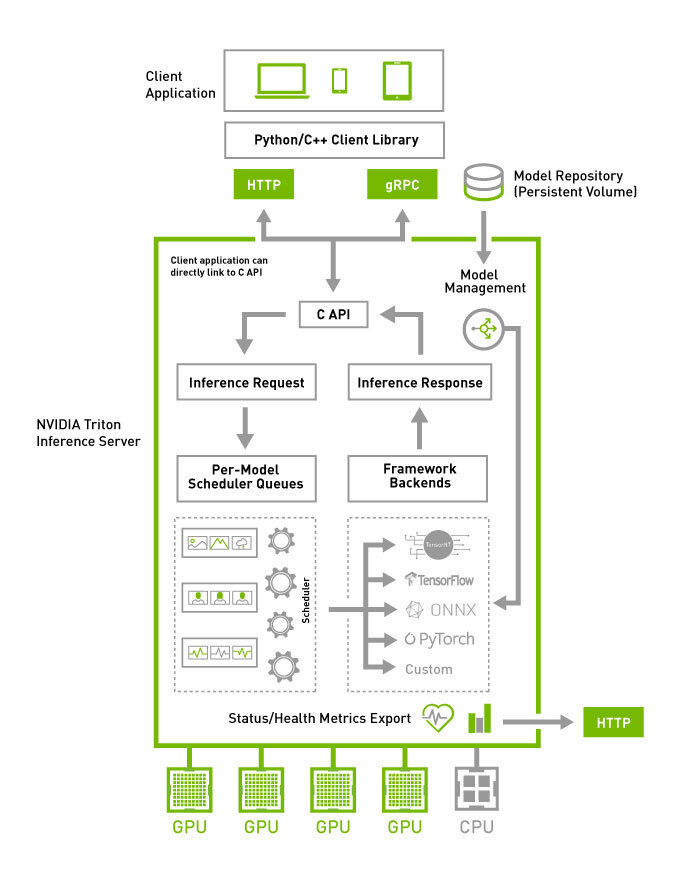
- Triton Inference Server 推理服务框架
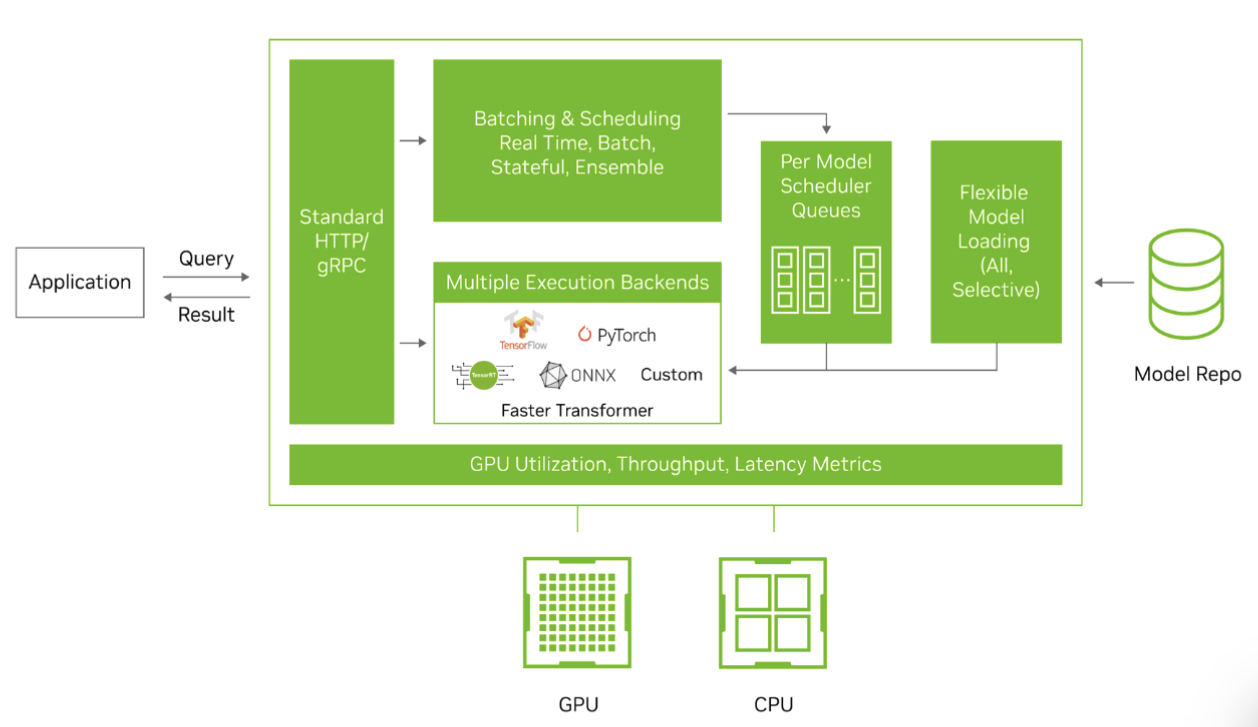
Triton 支持 TensorRT,ONNX,C++,Python 等后端推理,尤其Python和C++后端,可以兼容很多算法,只需要写好自定义的model文件即可
具体的介绍文档
为什么用 Triton
NVIDIA Triton Inference Server
Triton 是让你把深度学习模型“工业化、服务化、可高并发、高吞吐、可运维”运行起来的最成熟框架之一。 比自己手写 FastAPI + PyTorch 服务强太多。
1. 原生支持高吞吐的动态批处理(Dynamic Batching)
你之前就问过“如何批处理推理提升吞吐 & 控制最大等待时间”, Triton 已经帮你把这个功能做到极致:
- 自动累积请求形成 batch
- 支持最大 batch_size
- 支持最大排队延迟(max_queue_delay_microseconds)
- GPU 自动融合请求 → 吞吐暴涨 5~50 倍
你 不需要自己写队列、调度、并发控制、future 映射。
2. 强大的多模型并行调度(Model Scheduler)
Triton 能帮你做到:
- 多模型同时加载
- 多模型并行推理(同 GPU / 不同 GPU)
- 为每个模型配置独立调度策略
- 配置不同模型的优先级(priority queue)
- 自动调度 GPU 资源
自己写 HTTP/gRPC 服务做这些非常困难。
3. 统一的推理接口:HTTP/REST + gRPC
你不需要自己搭服务框架:
- 自带 高性能 HTTP 接口
- 自带 高性能 gRPC 接口
- 客户端 SDK 有:Python / C++ / Java / Go / JS
你的应用只需要调用:
/v2/models/{model_name}/infer
直接搞定。
4. 支持几乎所有主流框架与格式的模型
Triton 支持:
| 类型 | 状态 |
|---|---|
| PyTorch TorchScript | ✔ |
| TensorFlow SavedModel | ✔ |
| ONNX | ✔ |
| TensorRT (最强加速) | ✔ |
| OpenVINO | ✔ |
| Python 自定义模型 | ✔ |
| C++ 自定义模型 | ✔ |
| Ensemble pipelines | ✔ |
你可以在一个 Triton 实例里同时放:
- 一个 TensorRT 模型
- 一个 PyTorch 模型
- 一个 ONNX 模型
- 一个 Python 后处理脚本
这就是 统一推理平台。
…
环境准备
测试环境 Tesla T4 ,显卡驱动版本为: 575.64.03 ,最高支持的cuda版本为 12.9 /13.0
先配置一下将gpu性能拉满:
sudo nvidia-smi -pm 1
docker部署环境
查看 NV 的镜像位置
镜像里面的相关信息,查看文档
比较新的版本 25.08,版本为 cuda 13.0
# py & triton-server
docker pull nvcr.io/nvidia/tritonserver:25.08-py3

# py & trt
docker pull nvcr.io/nvidia/tensorrt:25.08-py3

# py & sdk 携带了测试工具
docker pull nvcr.io/nvidia/tritonserver:25.08-py3-sdk
这个cuda版本太新了,后续实验的 faster-whisper 不支持
改用这个版本 nvcr.io/nvidia/tritonserver:25.03-py3,cuda为 12.8x
# py & triton-server ----> 携带py后端的 triton
docker pull nvcr.io/nvidia/tritonserver:25.03-py3

# py & trt ---> 携带py的tensorRT,用来编译
docker pull nvcr.io/nvidia/tensorrt:25.03-py3

# py & triton-server & perf_analyzer 性能测试工具 & py-sdk
docker pull nvcr.io/nvidia/tritonserver:25.03-py3-sdk
NV驱动更新
镜像比较大,耐心下载

Triton Inference Server 官方案例
GitHub官方地址:
自己部署案例
直接使用 yolov11-thiny 目标检测模型推理的效果:

yolo系列 [onnx + trt]
triton目录
编写 triton 文件,目录文件呈这样 主要是 onnx 和 trt,以及不同的模型大小
model_repository/
├── yolov11_tiny_onnx
│   ├── 1
│   │   └── model.onnx
│   └── config.pbtxt
├── yolov11_tiny_trt
│   ├── 1
│   │   └── model.plan
│   └── config.pbtxt
├── yolov11_x_onnx
│   ├── 1
│   │   └── model.onnx
│   └── config.pbtxt
└── yolov11_x_trt
    ├── 1
    │   └── model.plan
    └── config.pbtxt
请务必满足上述的命名规范,
onnx模型为 model.onnx
tensorRT模型则为 model.plan
启动服务
docker run --gpus all --rm -it \
  -p8000:8000 -p8001:8001 -p8002:8002 \
  -v $(pwd)/model_repository:/models \
  nvcr.io/nvidia/tritonserver:25.08-py3 \
  tritonserver --model-repository=/models
Triton 客户端:
triton_client.py
https://github.com/Akabane71/triton-learn-note/blob/main/yolo-project/triton-client.py
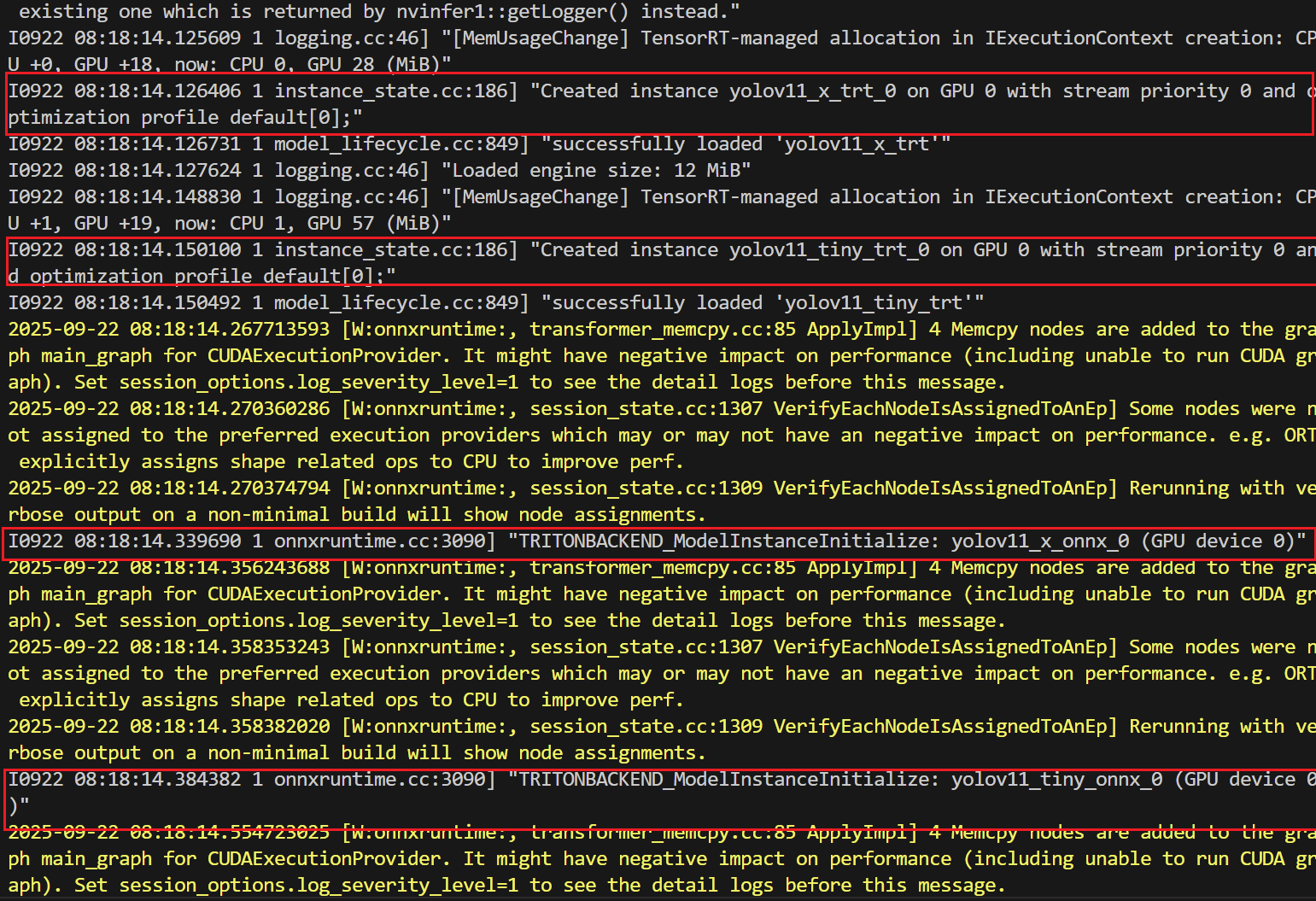
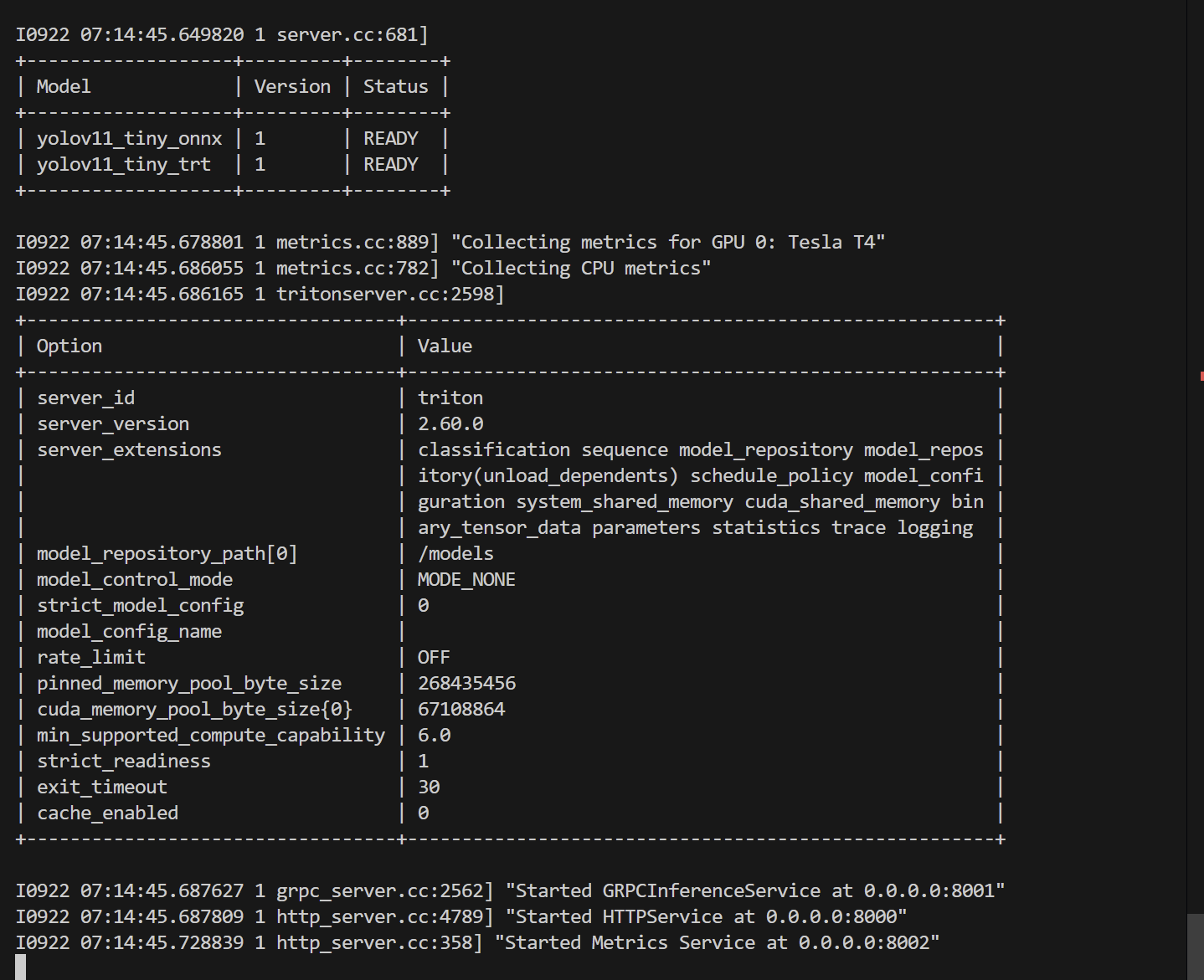
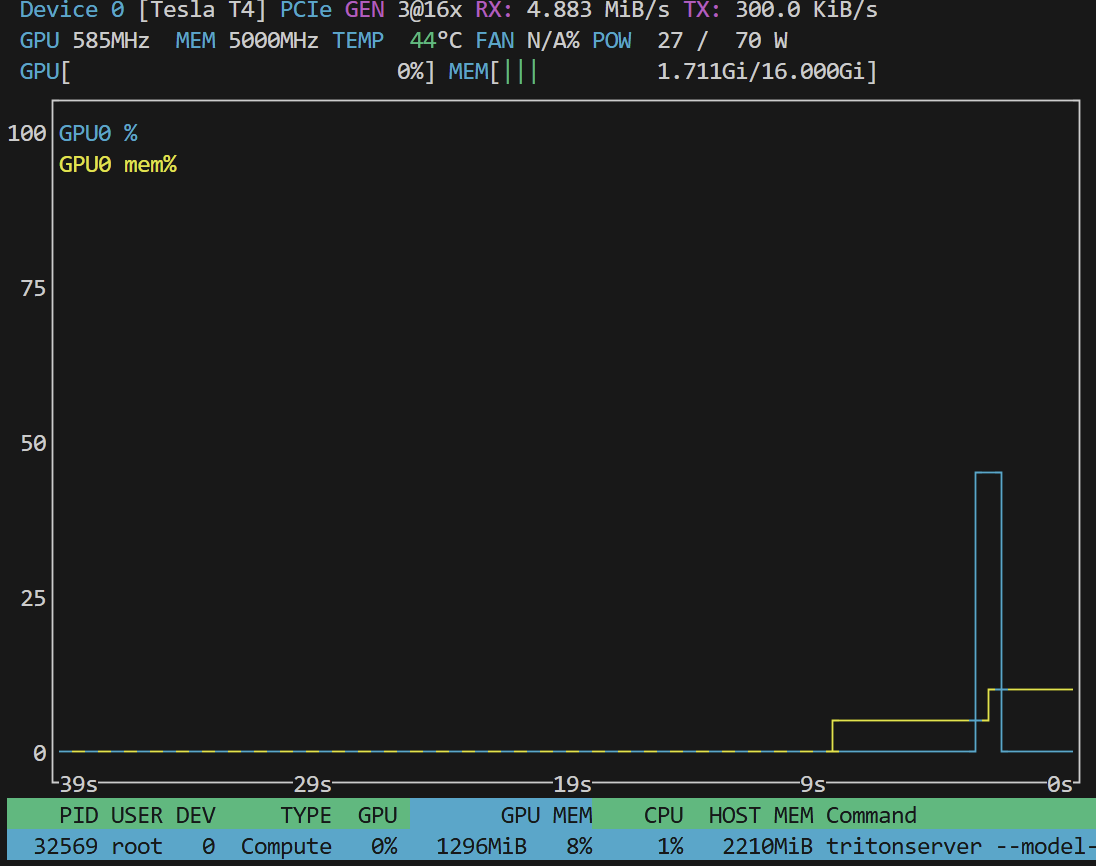
正确启动服务:
- 服务加载到GPU上
- 服务正常启动
- gpu情况
onnx 模型
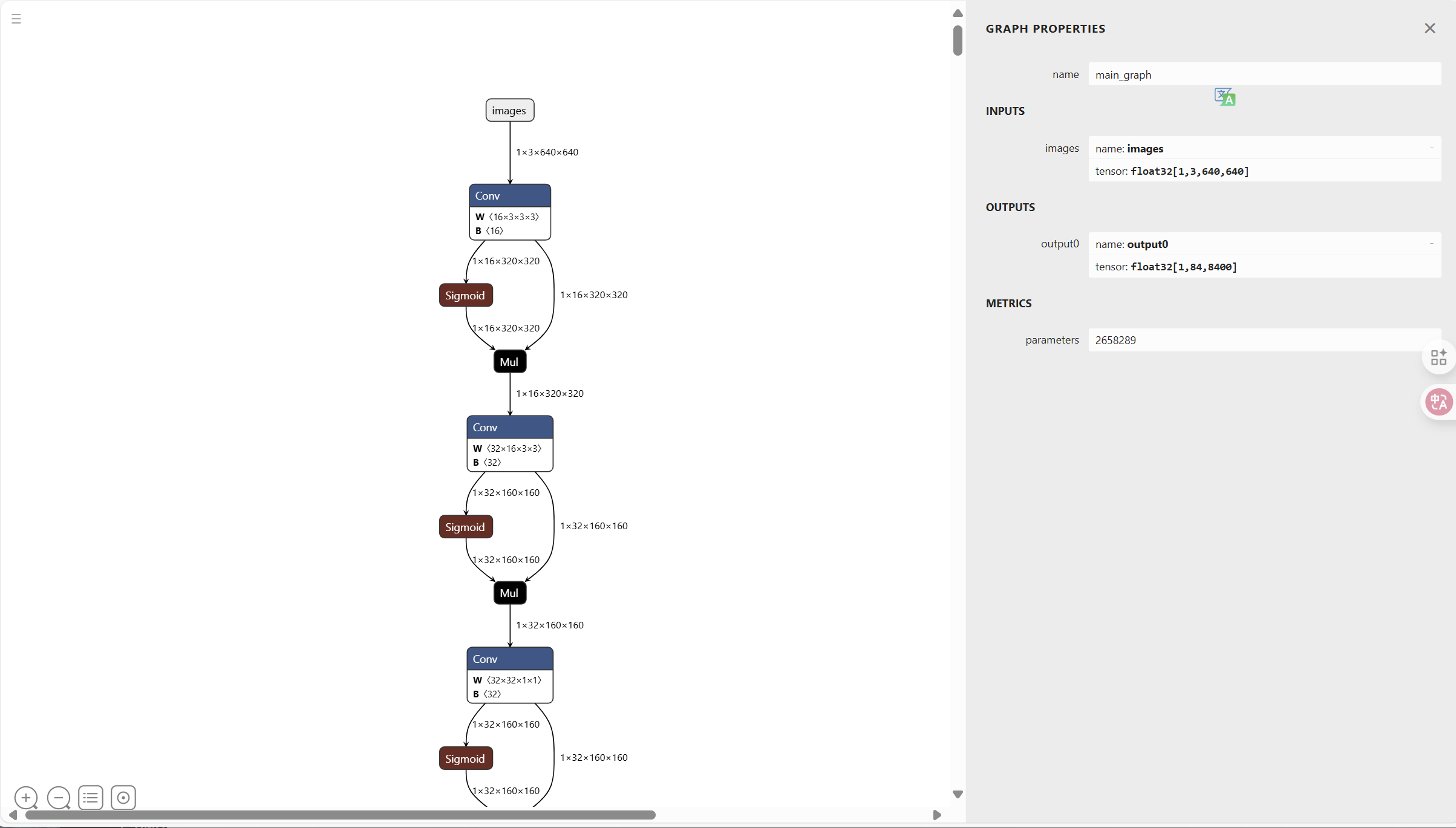
我导出的 onnx 相关的信息
https://github.com/Akabane71/triton-learn-note/blob/main/yolo-project/check_onnx.py
ONNX IR version: 9 Producer name: pytorch Producer version: 2.8.0 Opset imports: [version: 19]
导出成onnx模型
yolo export model=yolo11n.pt format=onnx
使用 netron 查看
netron yolo11n.onnx
onnx的推理效果大概为:

trt 模型
本地tensorRT环境并本地导出就不演示了
推荐使用容器来构建
docker pull nvcr.io/nvidia/tensorrt:25.08-py3
模型挂载
docker run --gpus all -it --rm \
  -v $(pwd)/models:/models \
  nvcr.io/nvidia/tensorrt:25.08-py3
导出 trt engine:
trtexec --onnx=yolo11n.onnx \
        --saveEngine=model.engine \
        --fp16
查看模型:
trtexec --loadEngine=model.engine --verbose
模型的qps也帮你测出来了
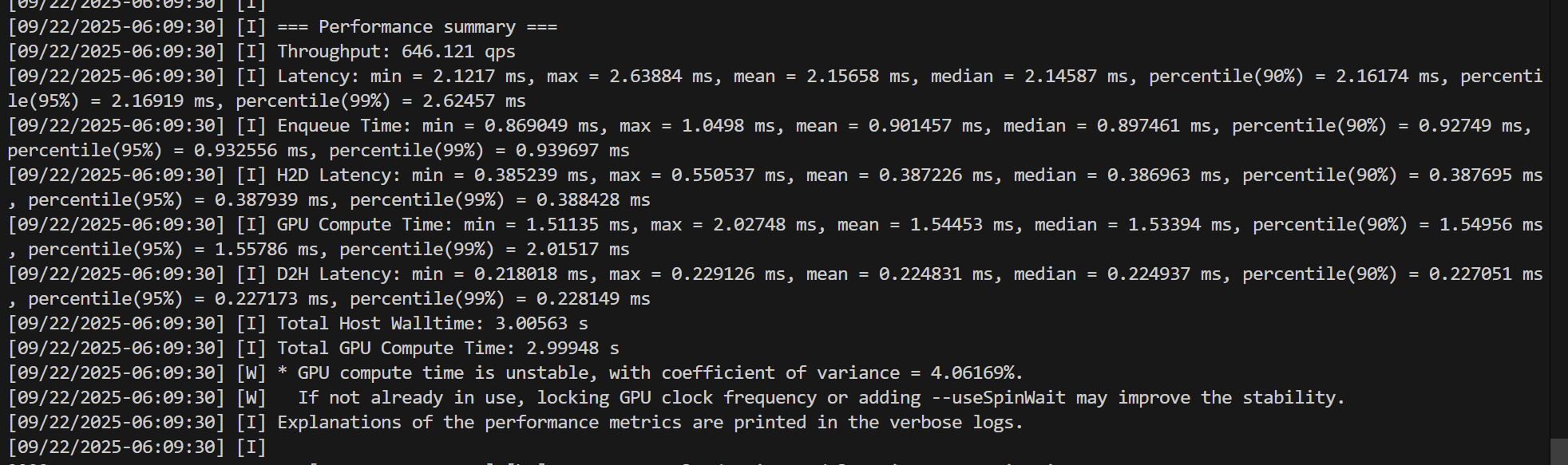
yolo的性能测试
使用 tritonserver sdk 版本,这个版本携带了测试工具
docker pull nvcr.io/nvidia/tritonserver:25.08-py3-sdk
# --network 借用宿主机的网络
docker run --gpus all --rm -it \
  --network host \
  nvcr.io/nvidia/tritonserver:25.08-py3-sdk \
  perf_analyzer -m yolov11_x_onnx -u localhost:8001 -i grpc


docker run --gpus all --rm -it --network host \
  nvcr.io/nvidia/tritonserver:25.08-py3-sdk \
  perf_analyzer -m yolov11_x_trt -u localhost:8001 -i grpc
我们测试最大的 yolov11_x_onnx 和 yolov11_x_trt
- yolov11_x_onnx
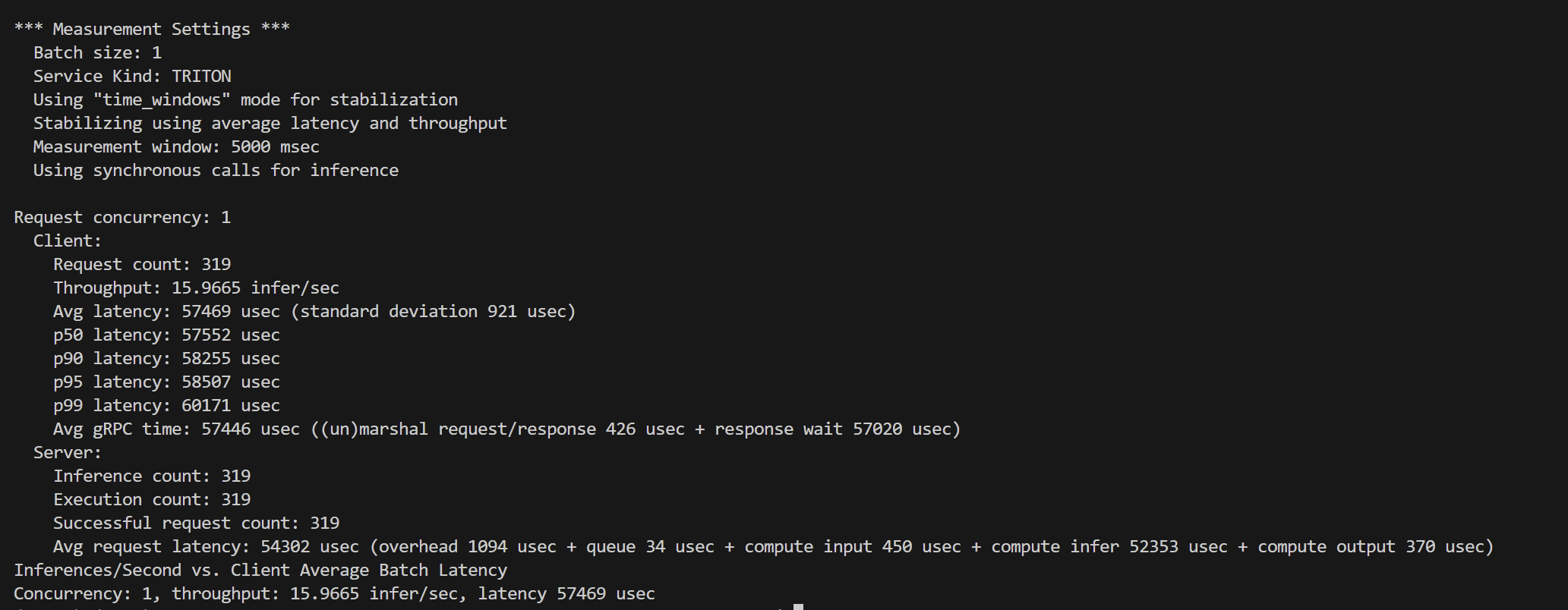
*** Measurement Settings *** Batch size: 1 Service Kind: TRITON Using “time_windows” mode for stabilization Stabilizing using average latency and throughput Measurement window: 5000 msec Using synchronous calls for inference
Request concurrency: 1 Client: Request count: 319 Throughput: 15.9665 infer/sec Avg latency: 57469 usec (standard deviation 921 usec) p50 latency: 57552 usec p90 latency: 58255 usec p95 latency: 58507 usec p99 latency: 60171 usec Avg gRPC time: 57446 usec ((un)marshal request/response 426 usec + response wait 57020 usec) Server: Inference count: 319 Execution count: 319 Successful request count: 319 Avg request latency: 54302 usec (overhead 1094 usec + queue 34 usec + compute input 450 usec + compute infer 52353 usec + compute output 370 usec) Inferences/Second vs. Client Average Batch Latency Concurrency: 1, throughput: 15.9665 infer/sec, latency 57469 usec
| 指标 | 数值 |
|---|---|
| Batch size | 1 |
| Concurrency | 1 |
| 客户端吞吐量 | 15.97 infer/sec |
| 客户端平均延迟 | 57.5 ms |
| p50/p90/p95/p99 | 57.6 / 58.3 / 58.5 / 60.2 ms |
| GPU推理耗时 | 52.3 ms |
| CPU/队列/IO开销 | <1 ms |
- yolov11_x_trt
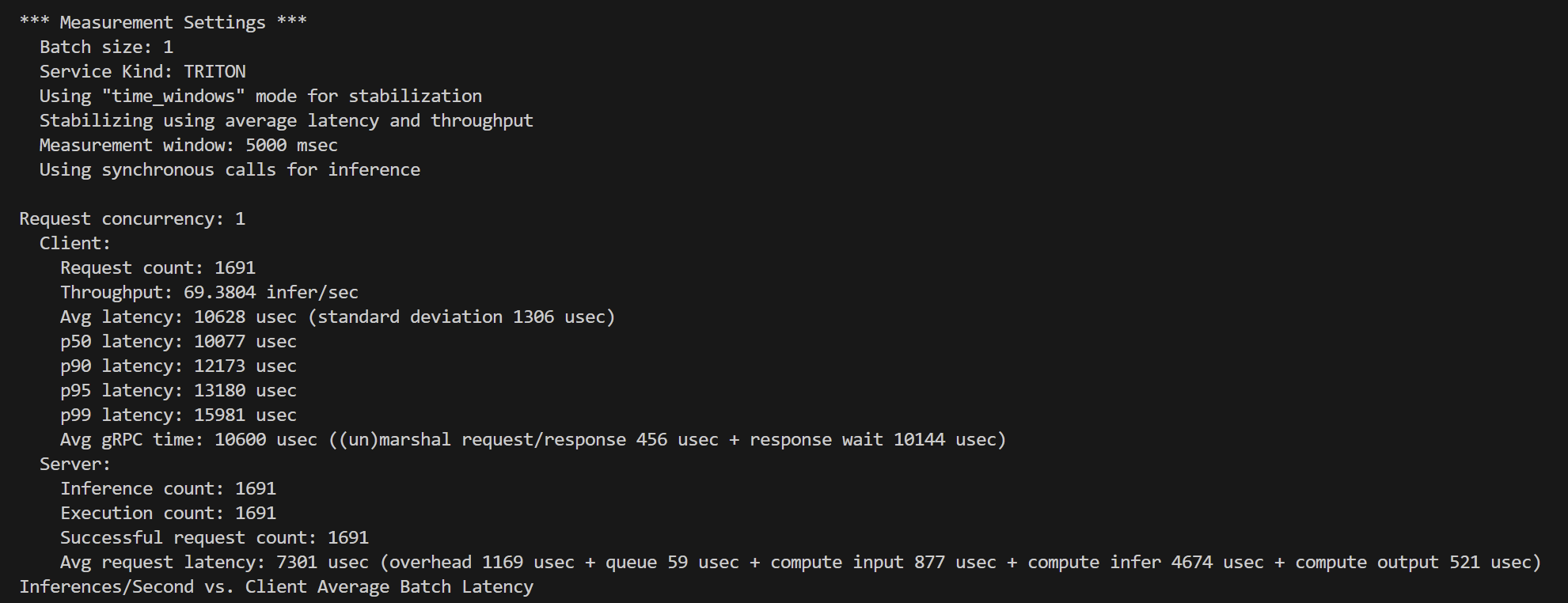
*** Measurement Settings *** Batch size: 1 Service Kind: TRITON Using “time_windows” mode for stabilization Stabilizing using average latency and throughput Measurement window: 5000 msec Using synchronous calls for inference
Request concurrency: 1 Client: Request count: 1691 Throughput: 69.3804 infer/sec Avg latency: 10628 usec (standard deviation 1306 usec) p50 latency: 10077 usec p90 latency: 12173 usec p95 latency: 13180 usec p99 latency: 15981 usec Avg gRPC time: 10600 usec ((un)marshal request/response 456 usec + response wait 10144 usec) Server: Inference count: 1691 Execution count: 1691 Successful request count: 1691 Avg request latency: 7301 usec (overhead 1169 usec + queue 59 usec + compute input 877 usec + compute infer 4674 usec + compute output 521 usec)
| 指标 | 数值 |
|---|---|
| Batch size | 1 |
| Concurrency | 1 |
| 客户端吞吐量 | 69.38 infer/sec |
| 客户端平均延迟 | 10.63 ms |
| p50/p90/p95/p99 | 10.08 / 12.17 / 13.18 / 15.98 ms |
| GPU推理耗时 | 4.67 ms |
| CPU/队列/IO开销 | ~1 ms |
总结
yolov11_x 在onnx 和 tensorRT 对比下,在 Tesla T4 显卡情况下,推理速度差距大约为 5倍
faster-whisper案例
我先试试 faster-whisper作为自定义后端看看能不能成功
我们先简单地来操作了,挂载模型和目录
docker run --gpus all -it \
    -p8000:8000 -p8001:8001 -p8002:8002 \
    -v $(pwd)/model_repository:/models \
    -v /home/azureuser/.cache/pip:/root/.cache/pip \
    -v /home/azureuser/.cache/uv:/root/.cache/uv \
    -v /home/azureuser/.cache/huggingface:/root/.cache/huggingface \
    -v $(pwd)/faste-whisper_src:/app \
    --name my_triton \
    nvcr.io/nvidia/tritonserver:25.03-py3-sdk \
    /bin/bash
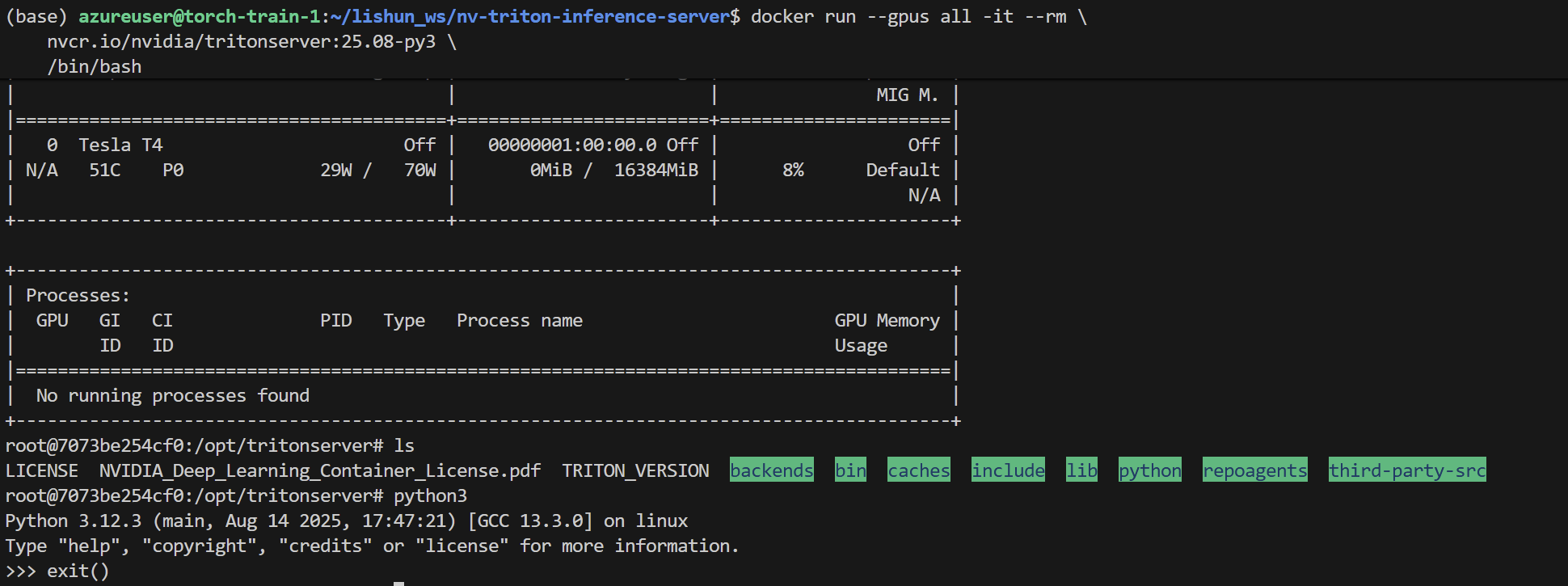
faster-whisper 使用的后端为 ctranslate2 ,主要对cuda toolkit 版本有一定的需求
使用cuda12x版本来会更加稳定,环境里面的cuda版本一定不要太高
triton目录
文件目录belike:
./faster_whisper_python/ ├── 1 │ └── model.py └── config.pbtxt
- Server
https://github.com/Akabane71/triton-learn-note/blob/main/model_repository/faster_whisper_python/1/model.py
- Client
https://github.com/Akabane71/triton-learn-note/blob/main/faste-whisper_src/triton-client.py
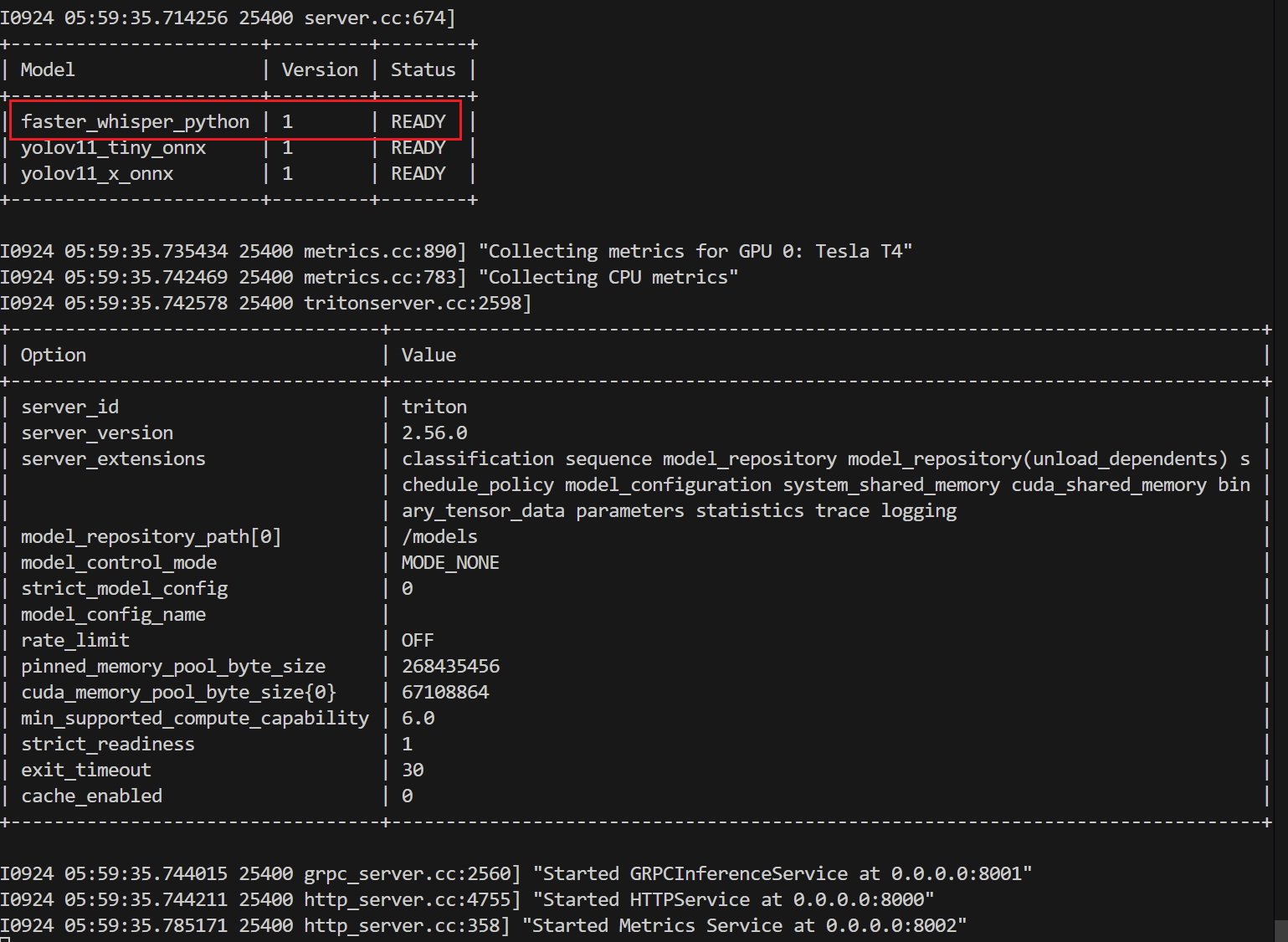
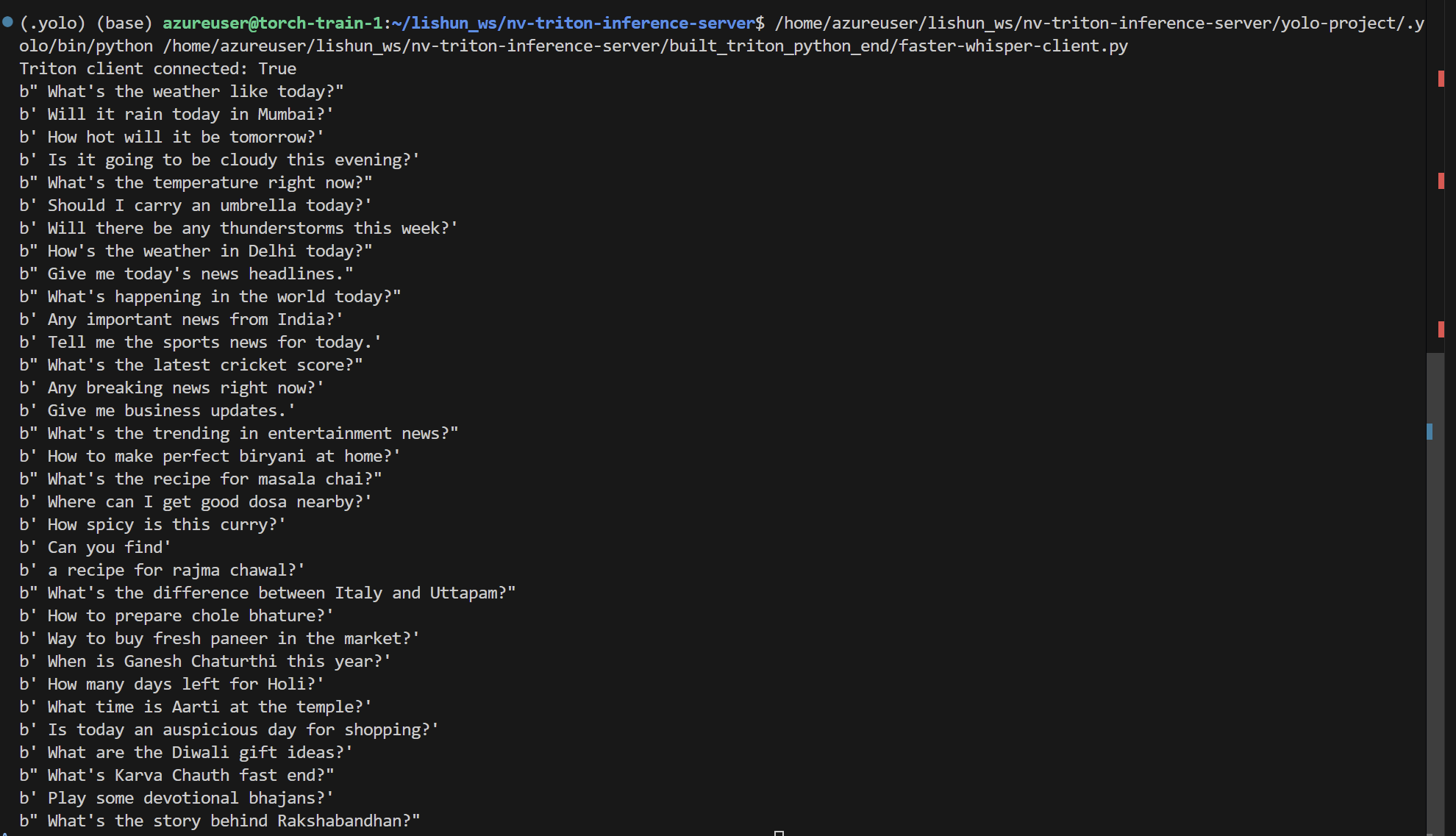
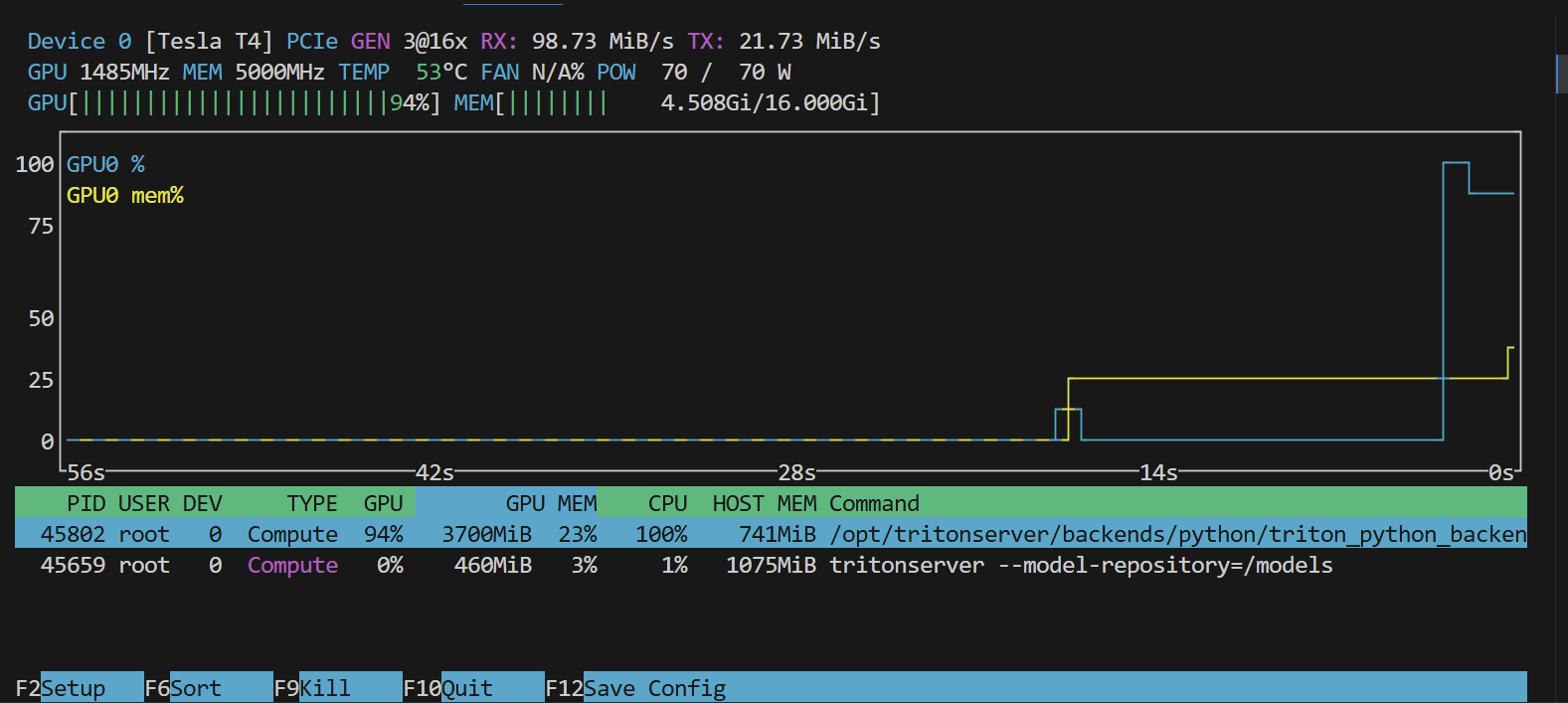
python后端是完美支持的,很Nice!
总结
传统的模型用Triton能轻松实现trt加速并拥有企业级的API管理,还能实现对GPU资源的充分调度。