LLM benchmark 基准测试
本地化部署的大模型考量的指标是什么?
- Token生成的速度 【token/s】
这是衡量QPS的最核心指标
| 指标 | 含义 | 对QPS的影响 |
|---|---|---|
| Decode tokens/s | 每秒生成 token | 决定吞吐量 QPS |
| Prefill tokens/s | 输入处理速度 | 影响首字时间 |
| KV cache 显存占用 | 每 token 需要多少缓存 | 限制并发数 |
| Max batch size | 单次支持的 batch | 直接决定 QPS |
- 显存占用【VRAM footprint】
一般机器要预留20%左右的显存空间
- prefill latency【输入阶段延迟】
影响首 token 时间(TTFT)。
自带工具
vLLM
vLLM自带的测试工具满足大部分的场景了
使用 VLLM 来部署 QWen3-8b模型,测试一下 Tesla-T4 的吞吐量
Qwen3-8B 会炸炉子,还是测试Qwen3-4B吧
官方的文档:
简单测试
- vLLM 提供官方 Docker 镜像进行部署。该镜像可用于运行 OpenAI 兼容服务器,并可在 Docker Hub 上以 vllm/vllm-openai 形式获取。
docker pull vllm/vllm-openai:nightly-x86_64
- 启动服务
docker run --runtime nvidia --gpus all \
    -v ~/.cache/huggingface:/root/.cache/huggingface \
    --env "HF_TOKEN=$HF_TOKEN" \
    -p 8000:8000 \
    --ipc=host \
    vllm/vllm-openai:nightly-x86_64 \
    --model Qwen/Qwen3-4B
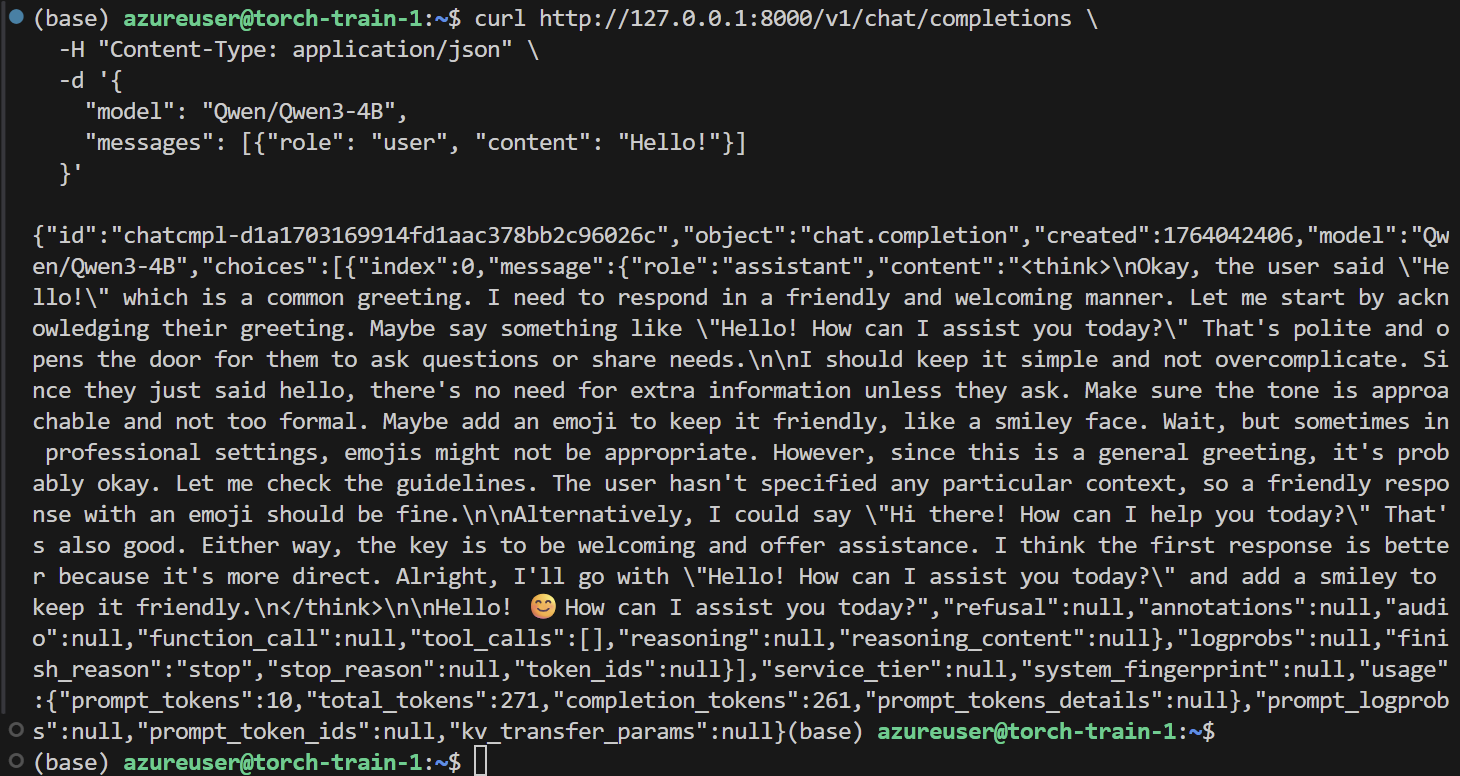
在自己本机测试是否跑通
curl http://127.0.0.1:8000/v1/chat/completions \
  -H "Content-Type: application/json" \
  -d '{
    "model": "Qwen/Qwen3-4B",
    "messages": [{"role": "user", "content": "Hello!"}]
  }'
- 进入docker中使用自带的工具来测试
vllm serve --model Qwen/Qwen3-4B \
--port 8000 \
--max-model-len 10240 \
--gpu-memory-utilization 0.95
–max-model-len
–gpu-memory-utilization
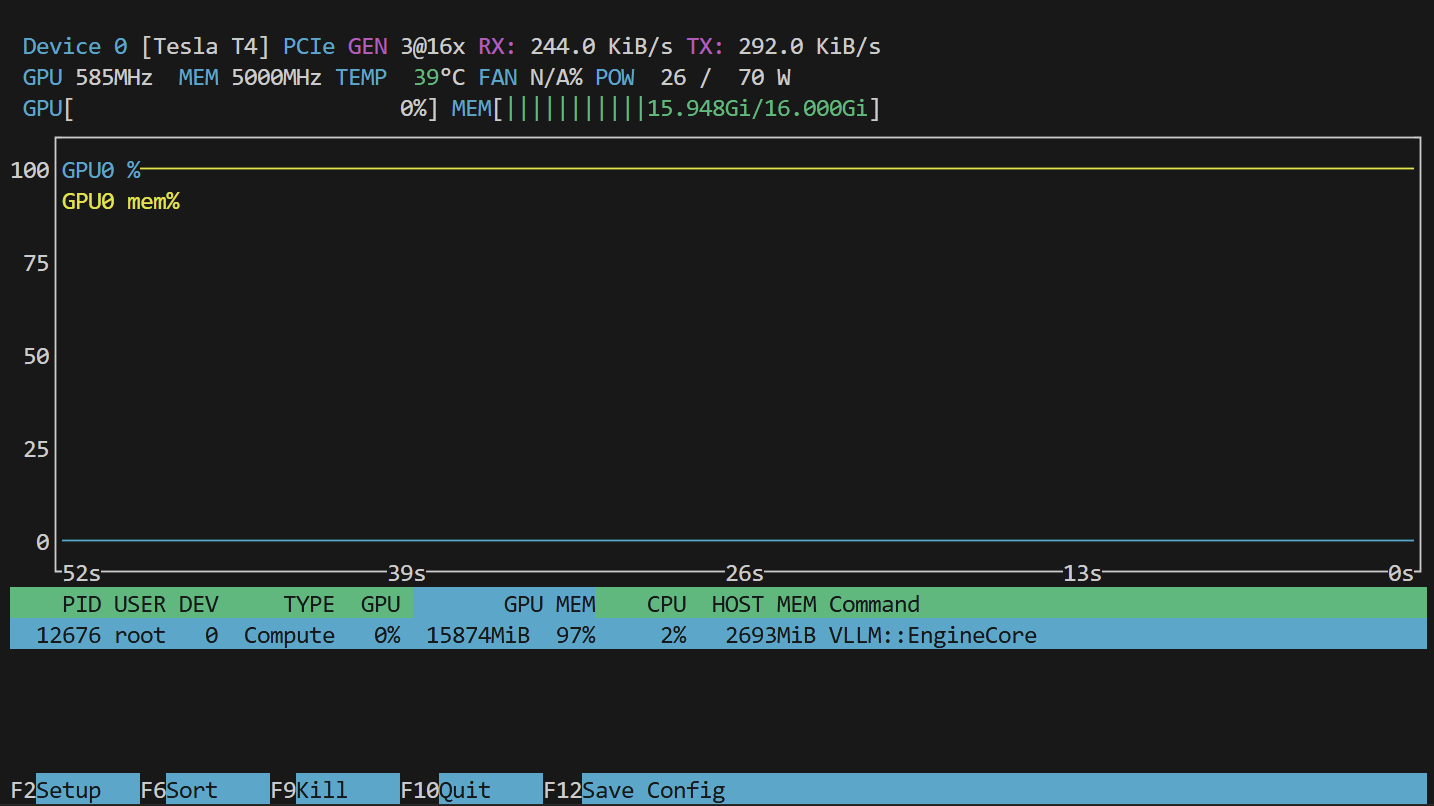
不增加 --max-model-len 会使用模型最大的token数,比如4B的最大token数为40960,Tesla-T4会直接炸炉子
–gpu-memory-utilization 设置 gpu 的使用率,默认为0.9
进入容器中再启动LLM服务
docker run --runtime nvidia --gpus all \
    -v ~/.cache/huggingface:/root/.cache/huggingface \
    -e HF_TOKEN=$HF_TOKEN \
    -p 8000:8000 \
    --ipc=host \
    -it --entrypoint /bin/bash \
    vllm/vllm-openai:nightly-x86_64
benchmark 测试
vllm bench serve \
    --model Qwen/Qwen3-4B \
    --host 127.0.0.1 \
    --port 8000 \
    --random-input-len 1024 \
    --random-output-len 1024  \
    --num-prompts  5
运行结果
Tesla-T4
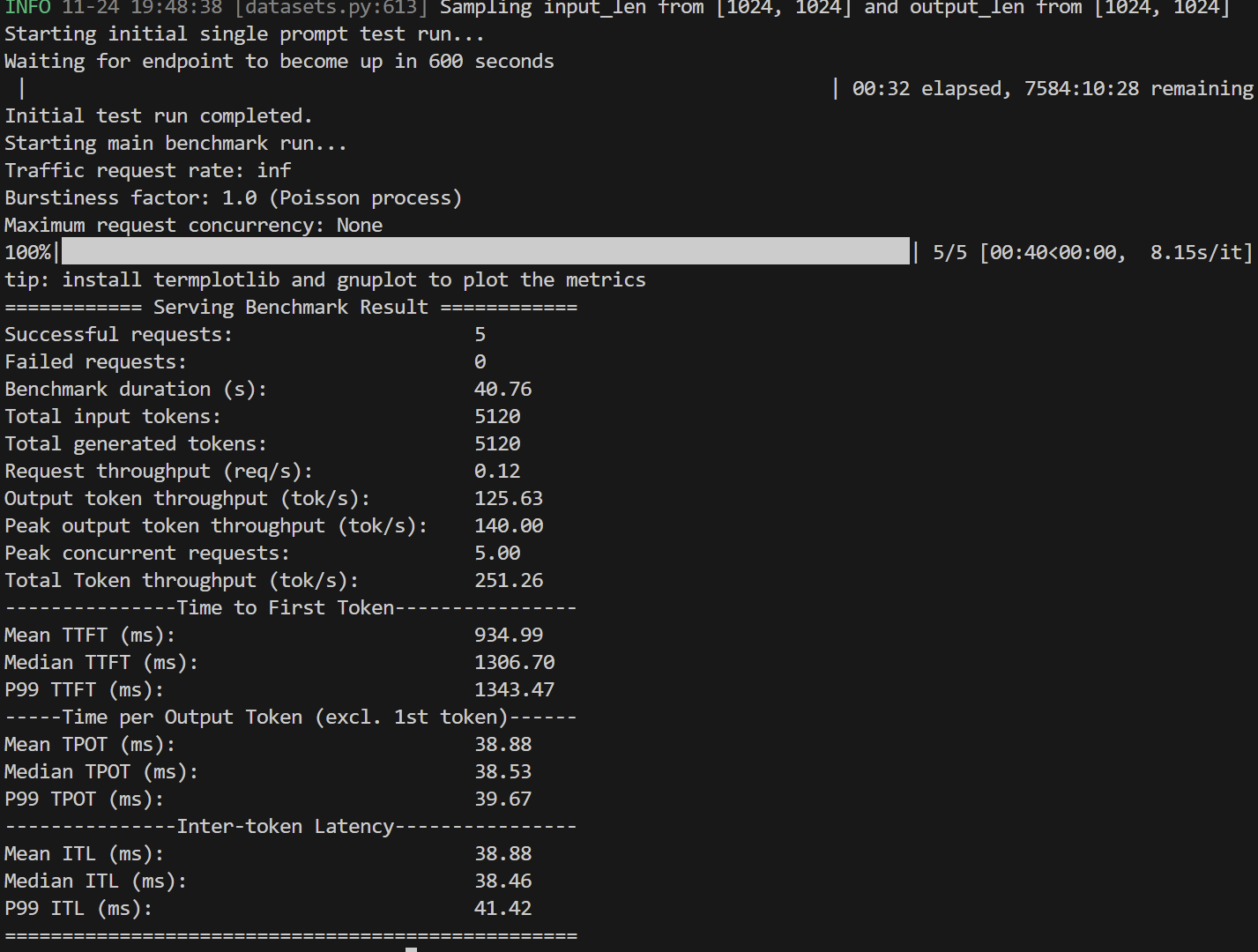
tip: install termplotlib and gnuplot to plot the metrics
============ Serving Benchmark Result ============
Successful requests:                     5
Failed requests:                         0
Benchmark duration (s):                  40.76
Total input tokens:                      5120
Total generated tokens:                  5120
Request throughput (req/s):              0.12
Output token throughput (tok/s):         125.63
Peak output token throughput (tok/s):    140.00
Peak concurrent requests:                5.00
Total Token throughput (tok/s):          251.26
---------------Time to First Token----------------
Mean TTFT (ms):                          934.99
Median TTFT (ms):                        1306.70
P99 TTFT (ms):                           1343.47
-----Time per Output Token (excl. 1st token)------
Mean TPOT (ms):                          38.88
Median TPOT (ms):                        38.53
P99 TPOT (ms):                           39.67
---------------Inter-token Latency----------------
Mean ITL (ms):                           38.88
Median ITL (ms):                         38.46
P99 ITL (ms):                            41.42
==================================================
4 X A100,简单的测试
Azure 上的Spot VM 型号为 Standard NC96ads A100 v4 (96 vcpu,880 GiB 内存)
vllm bench serve \
    --model Qwen/Qwen3-4B \
    --host 127.0.0.1 \
    --port 8000 \
    --random-input-len 1024 \
    --random-output-len 1024  \
    --num-prompts  5
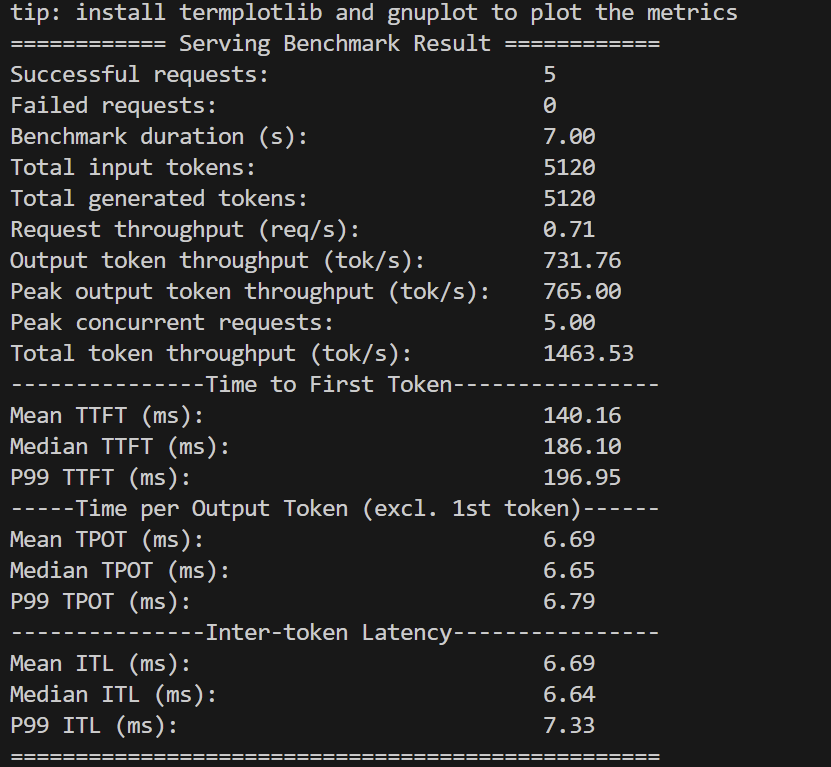
tip: install termplotlib and gnuplot to plot the metrics
============ Serving Benchmark Result ============
Successful requests:                     5
Failed requests:                         0
Benchmark duration (s):                  7.00
Total input tokens:                      5120
Total generated tokens:                  5120
Request throughput (req/s):              0.71
Output token throughput (tok/s):         731.76
Peak output token throughput (tok/s):    765.00
Peak concurrent requests:                5.00
Total token throughput (tok/s):          1463.53
---------------Time to First Token----------------
Mean TTFT (ms):                          140.16
Median TTFT (ms):                        186.10
P99 TTFT (ms):                           196.95
-----Time per Output Token (excl. 1st token)------
Mean TPOT (ms):                          6.69
Median TPOT (ms):                        6.65
P99 TPOT (ms):                           6.79
---------------Inter-token Latency----------------
Mean ITL (ms):                           6.69
Median ITL (ms):                         6.64
P99 ITL (ms):                            7.33
==================================================
70b模型测试
4XA100吞吐量还是非常夸张的,但是只是简单的跑通测试,对于4X100这样的吞吐量不够全面,试试更大的模型,更全面的测试
官方文档如下:
运行启动服务
采用的模型为 deepseek-r1-distill-llama-70b
并且使用别人量化好的模型权重,采用AWQ量化,具体使用的仓库为
Valdemardi/DeepSeek-R1-Distill-Llama-70B-AWQ
描述如下:
This quantized model was created using AutoAWQ version 0.2.8 with quant_config:
{
  "zero_point": True,
  "q_group_size": 128,
  "w_bit": 4,
  "version": "GEMM"
}
- 启动服务
docker run --runtime nvidia --gpus all \
    -v ~/.cache/huggingface:/root/.cache/huggingface \
    --env "HF_TOKEN=$HF_TOKEN" \
    -p 8000:8000 \
    --ipc=host \
    vllm/vllm-openai:nightly-x86_64 \
    --model Valdemardi/DeepSeek-R1-Distill-Llama-70B-AWQ \
    --tensor-parallel-size 4 \
    --max-model-len 16384 \
    --gpu-memory-utilization 0.90 \
    --quantization awq \
    --dtype float16
- 进入容器进行操作
docker exce -it xxx bash
# download dataset
# wget https://hugging-face.cn/datasets/anon8231489123/ShareGPT_Vicuna_unfiltered/resolve/main/ShareGPT_V3_unfiltered_cleaned_split.json
vllm bench serve \
  --backend vllm \
  --model Valdemardi/DeepSeek-R1-Distill-Llama-70B-AWQ  \
  --endpoint /v1/completions \
  --dataset-name sharegpt \
  --dataset-path /vllm-workspace/data/ShareGPT_V3_unfiltered_cleaned_split.json \
  --num-prompts 100
运行结果:
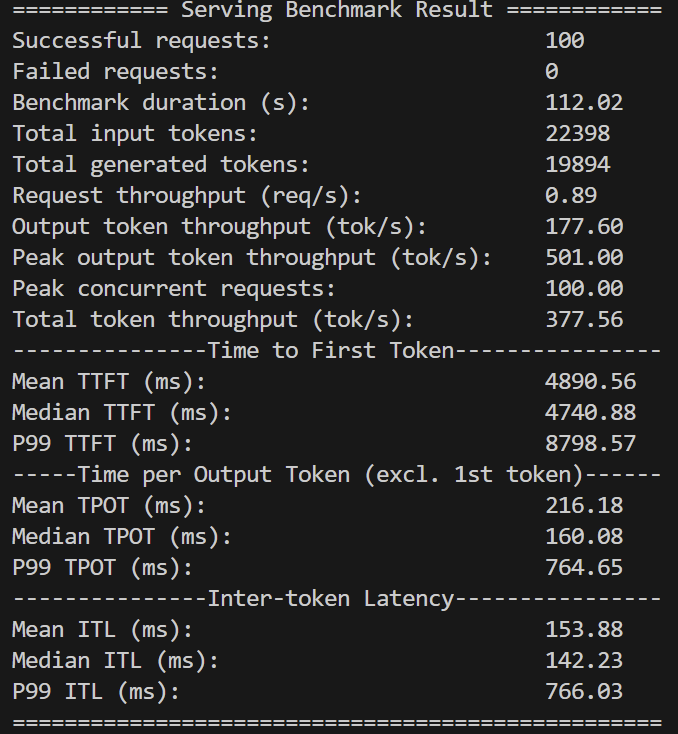
tip: install termplotlib and gnuplot to plot the metrics
============ Serving Benchmark Result ============
Successful requests:                     100
Failed requests:                         0
Benchmark duration (s):                  112.02
Total input tokens:                      22398
Total generated tokens:                  19894
Request throughput (req/s):              0.89
Output token throughput (tok/s):         177.60
Peak output token throughput (tok/s):    501.00
Peak concurrent requests:                100.00
Total token throughput (tok/s):          377.56
---------------Time to First Token----------------
Mean TTFT (ms):                          4890.56
Median TTFT (ms):                        4740.88
P99 TTFT (ms):                           8798.57
-----Time per Output Token (excl. 1st token)------
Mean TPOT (ms):                          216.18
Median TPOT (ms):                        160.08
P99 TPOT (ms):                           764.65
---------------Inter-token Latency----------------
Mean ITL (ms):                           153.88
Median ITL (ms):                         142.23
P99 ITL (ms):                            766.03
==================================================
TensorRT-LLM
TensorRT-LLM是针对 A100 / H100 显卡专门设计的,Tesla-T4有问题
使用 官方的Docker 镜像环境来启动服务
NV 官方的镜像网站,提供了各种深度学习环境
官方的教程
docker run --rm -it --ipc host --gpus all \
  --ulimit memlock=-1 --ulimit stack=67108864 \
  -p 8000:8000 \
  nvcr.io/nvidia/tensorrt-llm/release:1.2.0rc3
进入 docker 下的 bash
docker exec -it <container_id> bash
启动 LLM 服务
trtllm-serve "Qwen/Qwen3-8B"
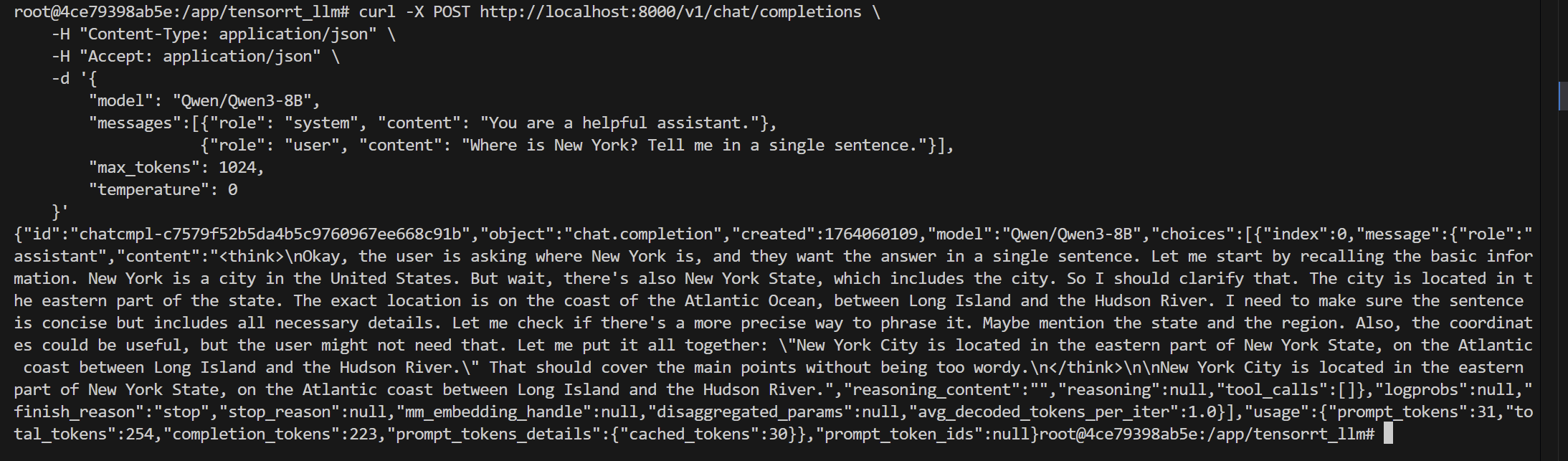
访问服务
curl -X POST http://localhost:8000/v1/chat/completions \
    -H "Content-Type: application/json" \
    -H "Accept: application/json" \
    -d '{
        "model": "Qwen/Qwen3-8B",
        "messages":[{"role": "system", "content": "You are a helpful assistant."},
                    {"role": "user", "content": "Where is New York? Tell me in a single sentence."}],
        "max_tokens": 1024,
        "temperature": 0
    }'
压力测试
TensorRT-LLM 基准测试 — TensorRT-LLM
官方推荐的方式
# Step 1: 准备数据集
python benchmarks/cpp/prepare_dataset.py \
    --stdout \
    --tokenizer Qwen/Qwen3-8B \
    token-norm-dist \
    --input-mean 128 \
    --output-mean 128 \
    --input-stdev 0 \
    --output-stdev 0 \
    --num-requests 3000 \
    > /tmp/synthetic_128_128.txt

# Step 2: 构建 Engine
trtllm-bench \
    --model Qwen/Qwen3-8B \
    build \
    --dataset /tmp/synthetic_128_128.txt

# Step 3: 吞吐量 Benchmark
trtllm-bench \
    --model Qwen/Qwen3-8B \
    throughput \
    --dataset /tmp/synthetic_128_128.txt \
    --engine_dir /tmp/Qwen/Qwen3-8B/tp_1_pp_1
测试结果如下:
===========================================================
= PYTORCH BACKEND
===========================================================
Model:                  Qwen/Qwen3-8B
Model Path:             None
TensorRT LLM Version:   1.2
Dtype:                  bfloat16
KV Cache Dtype:         None
Quantization:           None

===========================================================
= MACHINE DETAILS
===========================================================
NVIDIA A100 80GB PCIe, memory 79.25 GB, 1.51 GHz

===========================================================
= REQUEST DETAILS
===========================================================
Number of requests:             3000
Number of concurrent requests:  2235.6361
Average Input Length (tokens):  128.0000
Average Output Length (tokens): 128.0000
===========================================================
= WORLD + RUNTIME INFORMATION
===========================================================
TP Size:                1
PP Size:                1
EP Size:                None
Max Runtime Batch Size: 1792
Max Runtime Tokens:     3328
Scheduling Policy:      GUARANTEED_NO_EVICT
KV Memory Percentage:   90.00%
Issue Rate (req/sec):   8.9362E+13

===========================================================
= PERFORMANCE OVERVIEW
===========================================================
Request Throughput (req/sec):                     42.9775
Total Output Throughput (tokens/sec):             5501.1246
Total Token Throughput (tokens/sec):              11002.2492
Total Latency (ms):                               69803.9090
Average request latency (ms):                     52018.7121
Per User Output Throughput [w/ ctx] (tps/user):   2.6867
Per GPU Output Throughput (tps/gpu):              5501.1246

-- Request Latency Breakdown (ms) -----------------------

[Latency] P50    : 49434.4831
[Latency] P90    : 69053.3882
[Latency] P95    : 69401.8254
[Latency] P99    : 69515.5505
[Latency] MINIMUM: 29191.0916
[Latency] MAXIMUM: 69536.4003
[Latency] AVERAGE: 52018.7121

===========================================================
= DATASET DETAILS
===========================================================
Dataset Path:         /tmp/synthetic_128_128.txt
Number of Sequences:  3000

-- Percentiles statistics ---------------------------------

        Input              Output           Seq. Length
-----------------------------------------------------------
MIN:   128.0000           128.0000           256.0000
MAX:   128.0000           128.0000           256.0000
AVG:   128.0000           128.0000           256.0000
P50:   128.0000           128.0000           256.0000
P90:   128.0000           128.0000           256.0000
P95:   128.0000           128.0000           256.0000
P99:   128.0000           128.0000           256.0000
===========================================================
其他工具
NVIDIA GenAI-Perf
很遗憾的是NV已经不维护这个工具了
blog
-
LLM Inference Benchmarking: Fundamental Concepts | NVIDIA Technical Blog
-
LLM Inference Benchmarking Guide: NVIDIA GenAI-Perf and NIM | NVIDIA Technical Blog
使用文档
项目地址
AIperf
GenAI-Perf 不维护后推荐指向的项目,好处是能可视化
项目地址
NVIDIA Dynamo
项目地址
Benchmark测试文档
Dynamo 是一种LLM推理引擎,单也提供了benchmark测试脚本,自动导出图表