我在Azure上的一台开发服务器总是被扫描攻击,我想直接禁止 22 端口的访问权限,并使用Azure托管的VPN来访问我的服务器
教程
MS官方的地址
原理
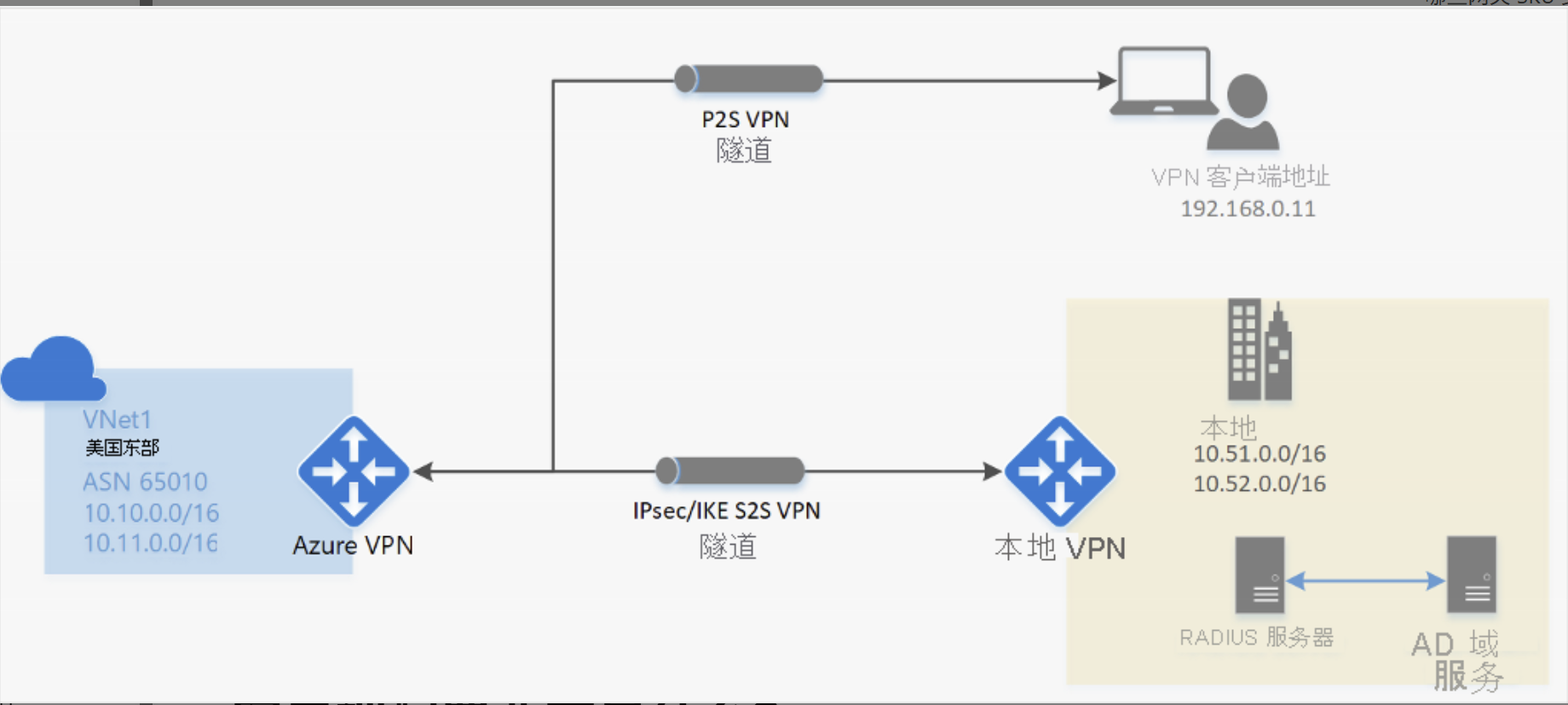
操作
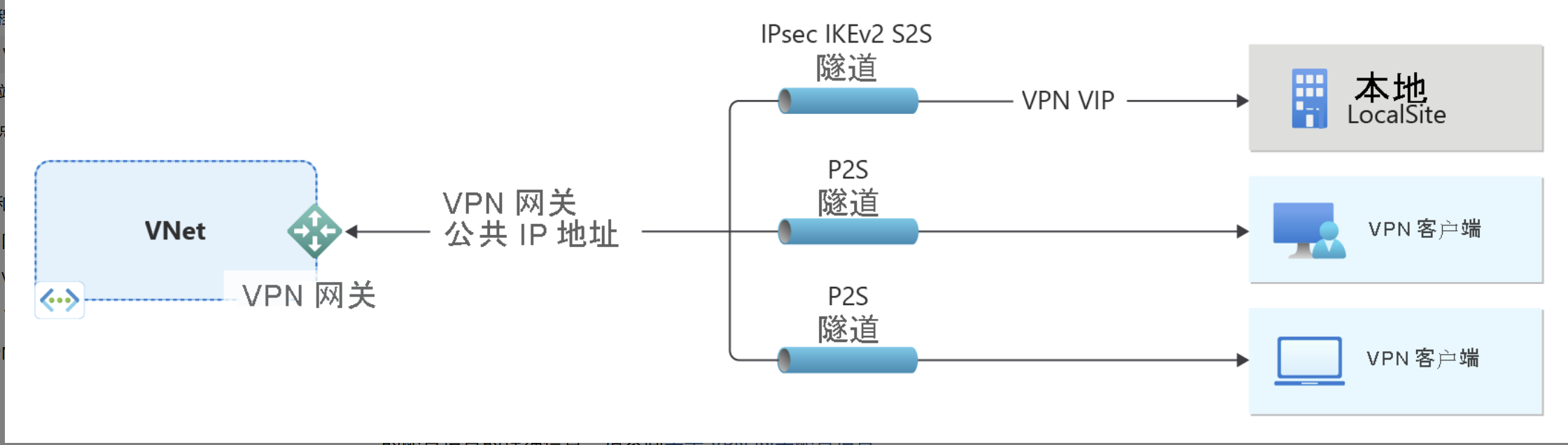
P2S
Point-to-Site 单台电脑 ----> Azure
个人使用只需要使用 P2S 即可,适合开发者、临时访问的情况
- 生成根证书
$rootcert = New-SelfSignedCertificate `
  -Type Custom `
  -KeySpec Signature `
  -Subject "CN=AzureP2SRootCert" `
  -KeyExportPolicy Exportable `
  -HashAlgorithm sha256 `
  -KeyLength 2048 `
  -CertStoreLocation "Cert:\CurrentUser\My" `
  -KeyUsageProperty Sign `
  -KeyUsage CertSign
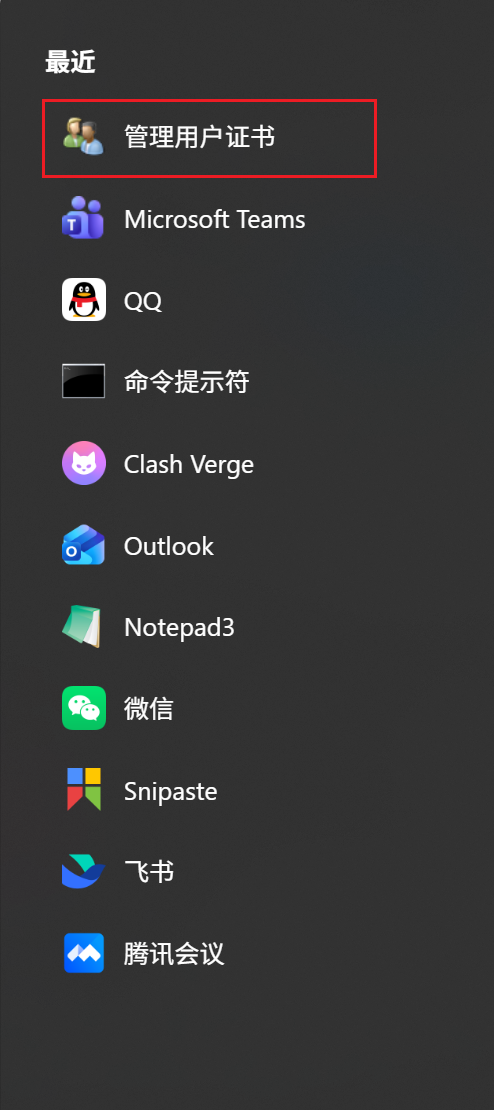
搜索栏输入 管理用户证书
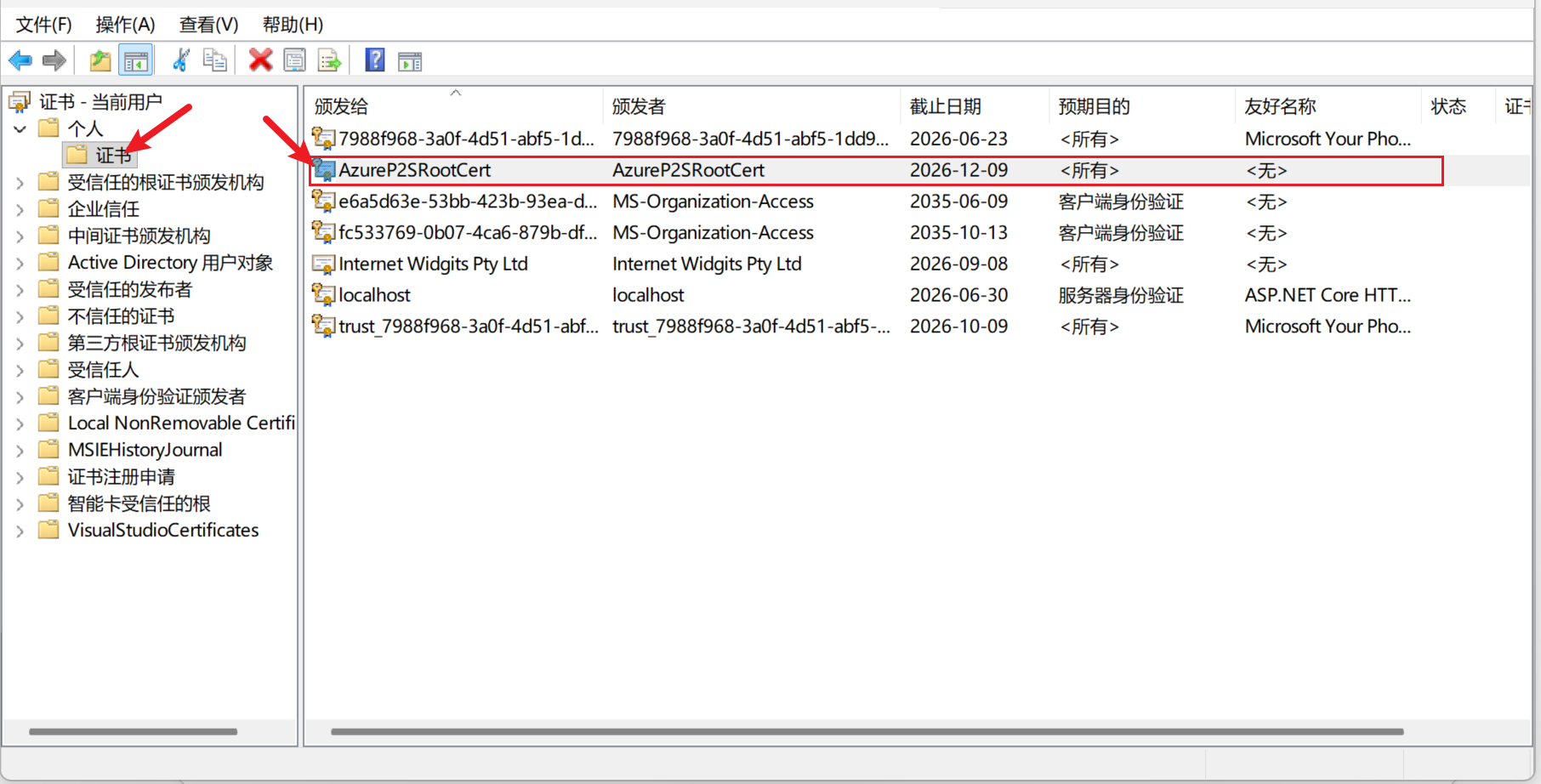
- 导出证书
- 生成客户端证书(Client Certificate)
New-SelfSignedCertificate `
  -Type Custom `
  -DnsName "AzureP2SClientCert" `
  -KeySpec Signature `
  -Subject "CN=AzureP2SClientCert" `
  -KeyExportPolicy Exportable `
  -HashAlgorithm sha256 `
  -KeyLength 2048 `
  -CertStoreLocation "Cert:\CurrentUser\My" `
  -Signer $rootcert `
  -TextExtension @("2.5.29.37={text}1.3.6.1.5.5.7.3.2")
- 导出证书要选择携带私钥
将 Root证书上传到 Azure